


Smart Curtain Lights
Smart Curtain Lights
💖 Make Every Moment Personal
🎉 Turn Any Room Into a Celebration
✨ One Set. Endless Occasions.
Couldn't load pickup availability

Smart Curtain Lights
How It Works
How It Works
Hang Your Lights: Use the built-in hooks to position your curtain lights, then connect them to power.
Connect the App: Download Surplife app and connect to your lights via Bluetooth.
Make It Yours: Choose from 100+ scenes, create custom messages, or turn on music sync. Adjust brightness and schedule automatic shutoff in the app.
What’s Included
What’s Included
1 × Smart Curtain Lights set with 400 LEDs
1 × Remote control
Built-in hanging hooks


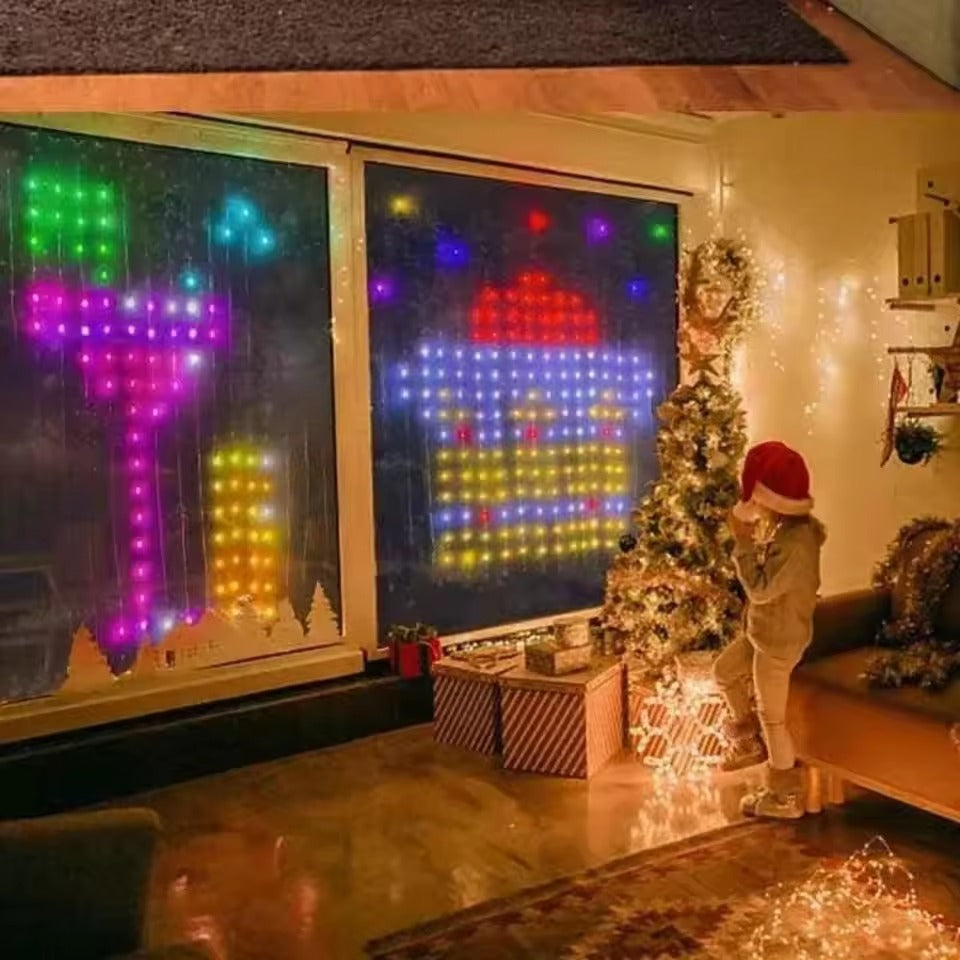
Turn Any Room Into a Moment Worth Remembering
Make birthdays feel more personal, holidays more magical, and everyday evenings a little brighter. With custom messages, millions of colors, and lights that dance to your music, Smart Curtain Lights bring your celebration to life—all controlled from your phone.
Change the Occasion. Keep the Lights.
From Christmas sparkle to birthday fun, choose from over 100 preset scenes to give your space a fresh look without buying new lights for every celebration. Simply pick your favorite in the app and let the decorating begin.
Don’t Just Play Your Music—Bring It to Life
Turn your favorite playlist into a colorful light show with five music-sync modes. Watch the lights change colors and patterns to the beat, setting the scene for kitchen dance parties, birthday celebrations, and nights with friends.
Their Name in Lights. A Moment They’ll Never Forget.
Go beyond ordinary decorations with a message made just for them. Use the Surplife app to display a loved one’s name or a heartfelt note—adding a personal touch to birthdays, proposals, and anniversaries.
The Ultimate Lights
Our Smart Curtain Lights vs. other lights on the market.

|
Others | |
|---|---|---|
| Your Message, Up in Lights | ||
| Millions of Colors. Every Mood Covered. | ||
| A Fresh Look for Every Occasion | ||
| Lights That Dance to Your Music | ||
| More Control, Less Fuss |
What our customers are saying...
Frequently Asked Questions
Which app do I need, and how do I connect?
Which app do I need, and how do I connect?
Download Surplife from the App Store or Google Play. Turn on your lights, enable Bluetooth on your phone, and tap “Add Device” or “+” in the app. You can sign in or use visitor mode.
Can I display names, messages, or my own designs?
Can I display names, messages, or my own designs?
Yes! The app’s Word and DIY features let you create personalized text and patterns. Choose colors and display effects, including scrolling, flashing, or a fixed display. You can also upload pictures from your phone’s album.
Can I adjust the brightness and lighting effects?
Can I adjust the brightness and lighting effects?
Yes. Adjust colors and brightness, choose from 17 built-in lighting effects, or explore static and dynamic patterns in the Gallery. You can also adjust the speed of animated effects.
Do the lights react to music?
Do the lights react to music?
Yes! Music mode makes the lights change with the rhythm using imported music files or the app’s built-in music library. The manual provides separate music-import instructions for iOS and Android.
Can I schedule the lights to turn on and off?
Can I schedule the lights to turn on and off?
Absolutely. Use the Schedule feature to set automatic on and off times, making it easy to plan your evening lighting.